
CronusIQ ERP
The ERP built for CNC job shops.
For small and mid-size shops running mills, 5-axis, and Swiss. Quoting, jobs, scheduling, inventory, purchasing, quality, shipping, and invoicing in one system — and it syncs with QuickBooks Online.
- Syncs with QuickBooks Online
- Works standalone or with Monitoring
- 8 shop roles + audit log
From quote to invoice
Everything a job shop runs on.
One system for the work between the quote and the check — designed around machines, routings, and revisions instead of generic manufacturing.
Quoting
Quote customer parts from your own machines and rates — with actual cycle times when Monitoring is connected, estimated times when it isn't.
Jobs & work orders
Turn orders into jobs with routings through your work centers, tied to the part's released revision.
Scheduling
Load jobs onto machines against real shift capacity — breaks, overnight shifts, and closures included.
Shop-floor time tracking
Operators clock in and out of jobs on a tablet at the machine, using the same downtime and scrap codes as the office.
FIFO inventory
Raw stock, hardware, consumables, and finished goods, costed FIFO by lot.
Purchasing
Buy material and outside processing from vendors approved for each process.
Quality
Keep quality records and scrap with the job, and carry each customer's cert requirements through to shipping.
Shipping
Ship finished parts to the customer's ship-to addresses with the certs they require.
Invoicing to QuickBooks Online
Invoice shipped work and send it to QuickBooks Online, which stays your system of record for money.
Reporting
Reports on jobs, machines, and shifts — built from the data your shop already records.
Inside the ERP
Built on your shop's real setup.
Machines, shifts, parts, and customers come first — so every quote, job, and schedule starts from how your shop actually runs.
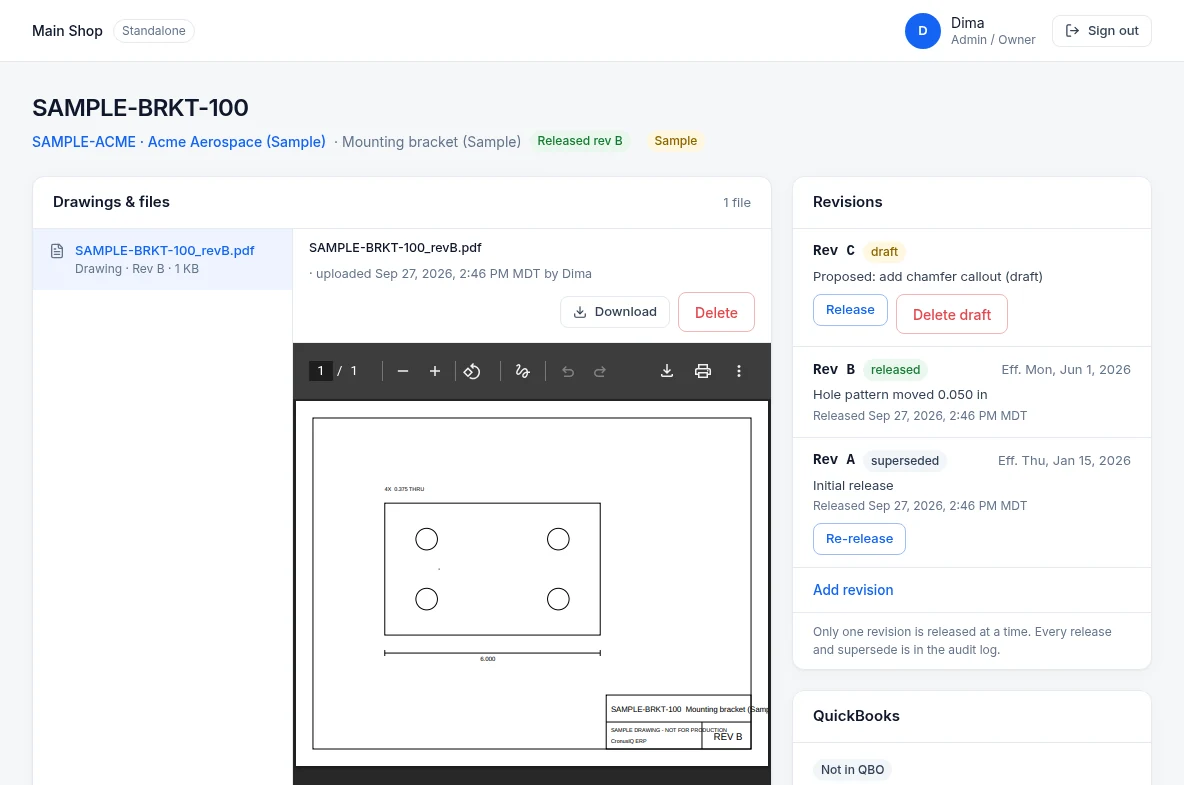
Parts, revisions & drawings
Part numbers per customer with exactly one released revision at a time, a full draft / released / superseded history, and the drawing previewed right on the part.
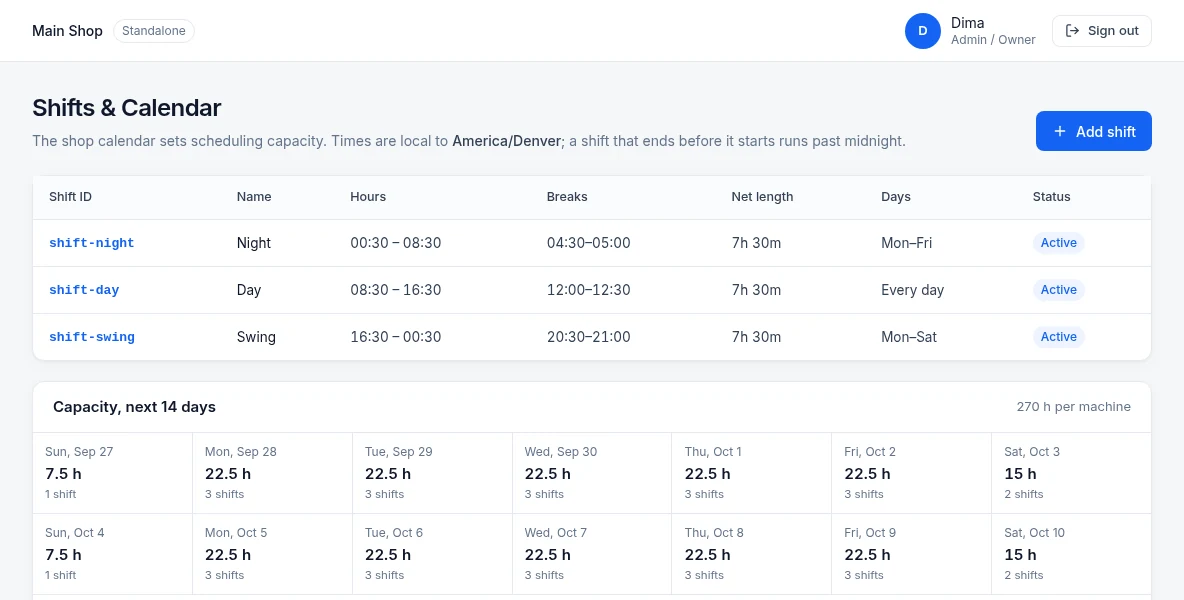
Shifts & capacity
Define shifts with breaks — including shifts that run past midnight — and see net available hours per machine for the next 14 days.
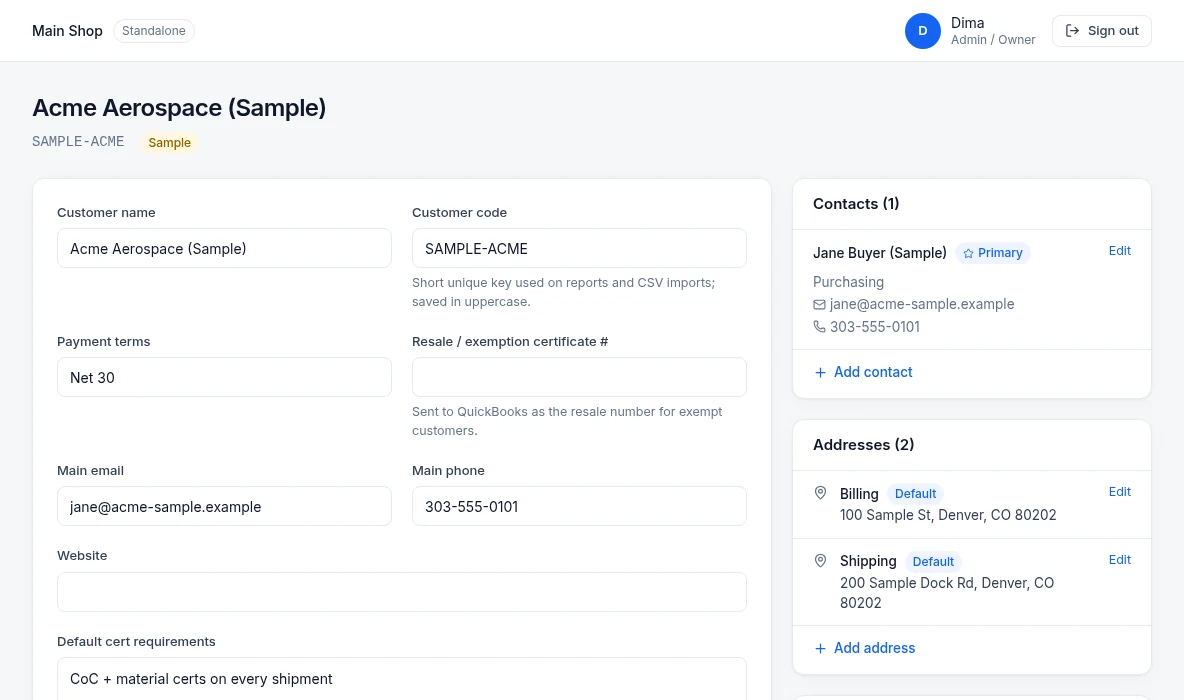
Customers
Payment terms, tax status, default cert requirements, contacts, and billing and shipping addresses, with the customer's parts listed on the record.
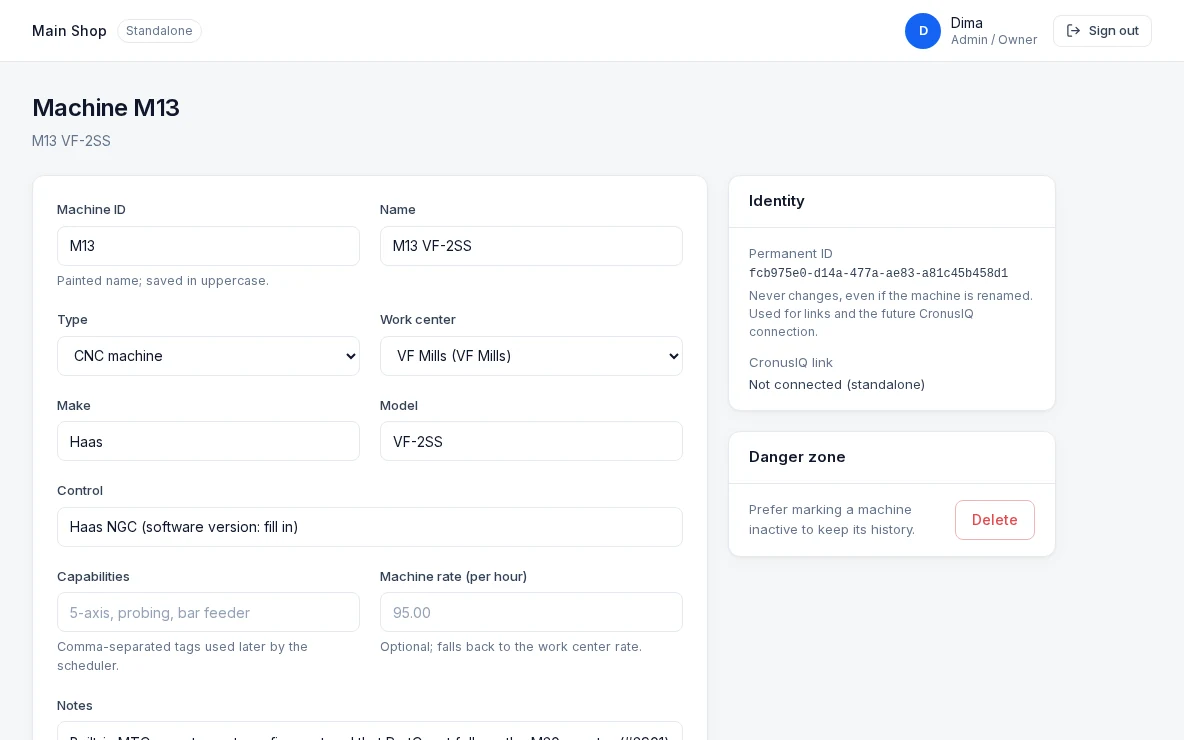
Machine detail
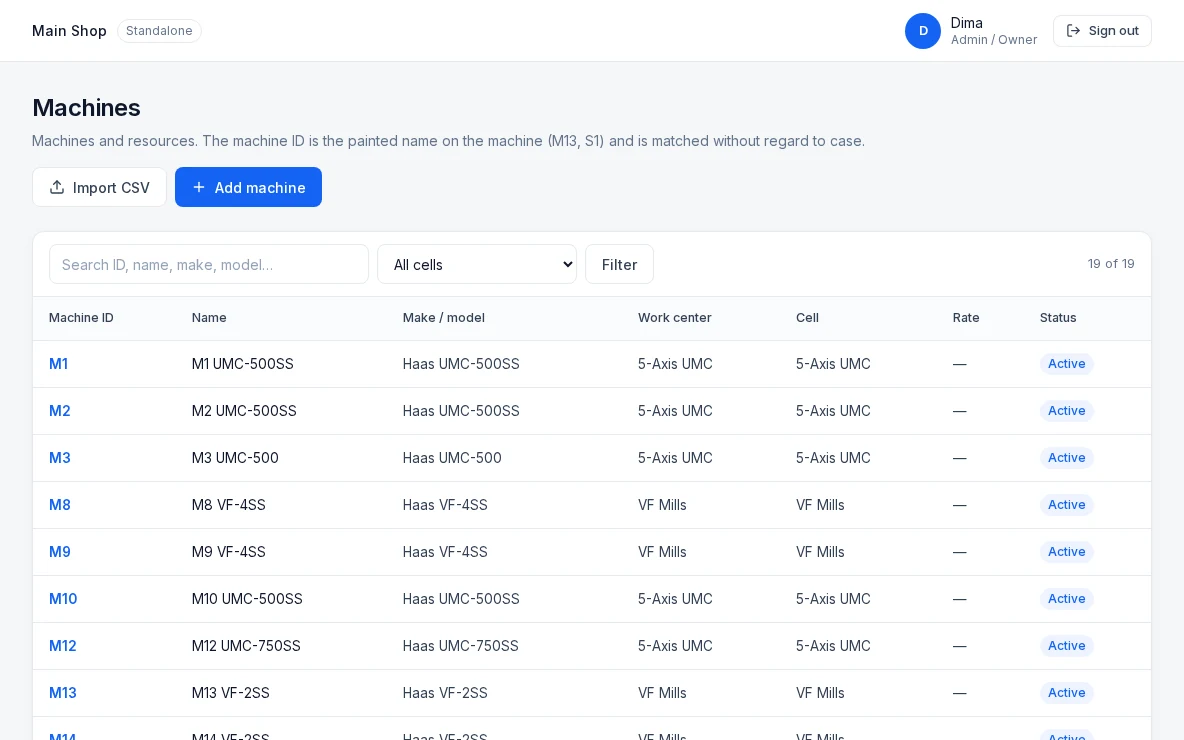
Type, work center, make, model, control, capabilities, and hourly rate for each machine — with a permanent ID that survives renames.
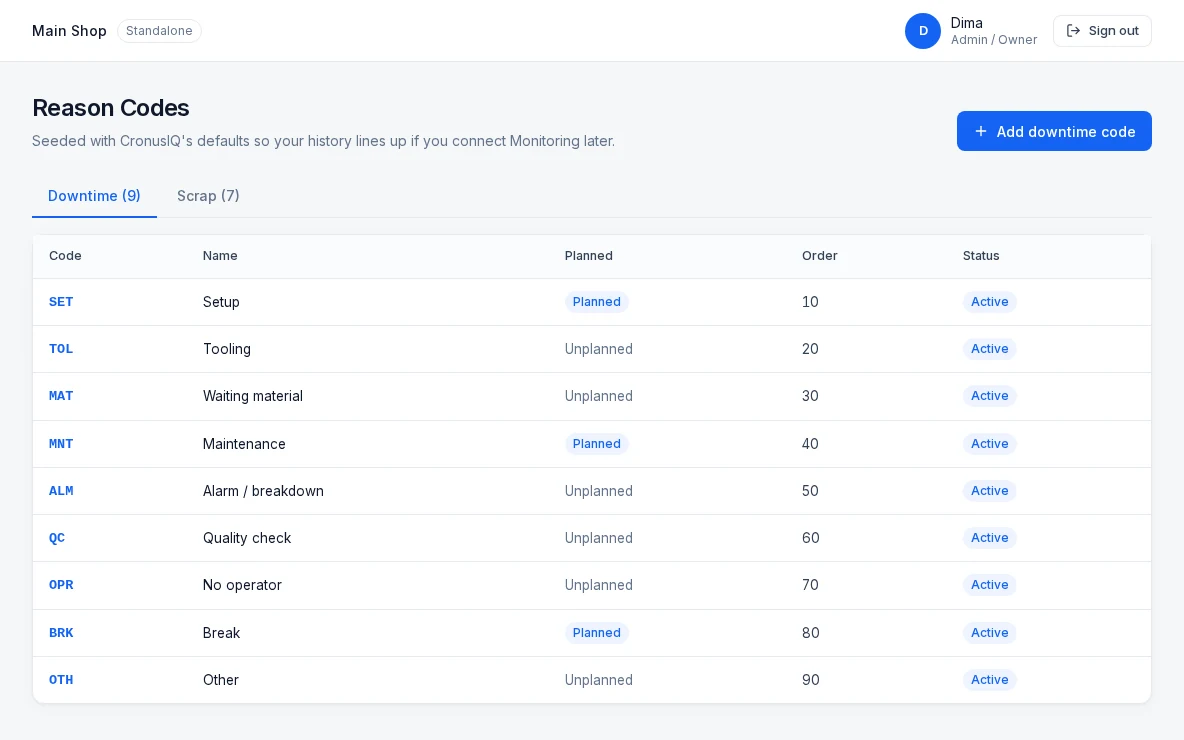
Downtime & scrap codes
Planned and unplanned downtime reasons plus scrap codes, seeded with CronusIQ's defaults so your history lines up with Monitoring.
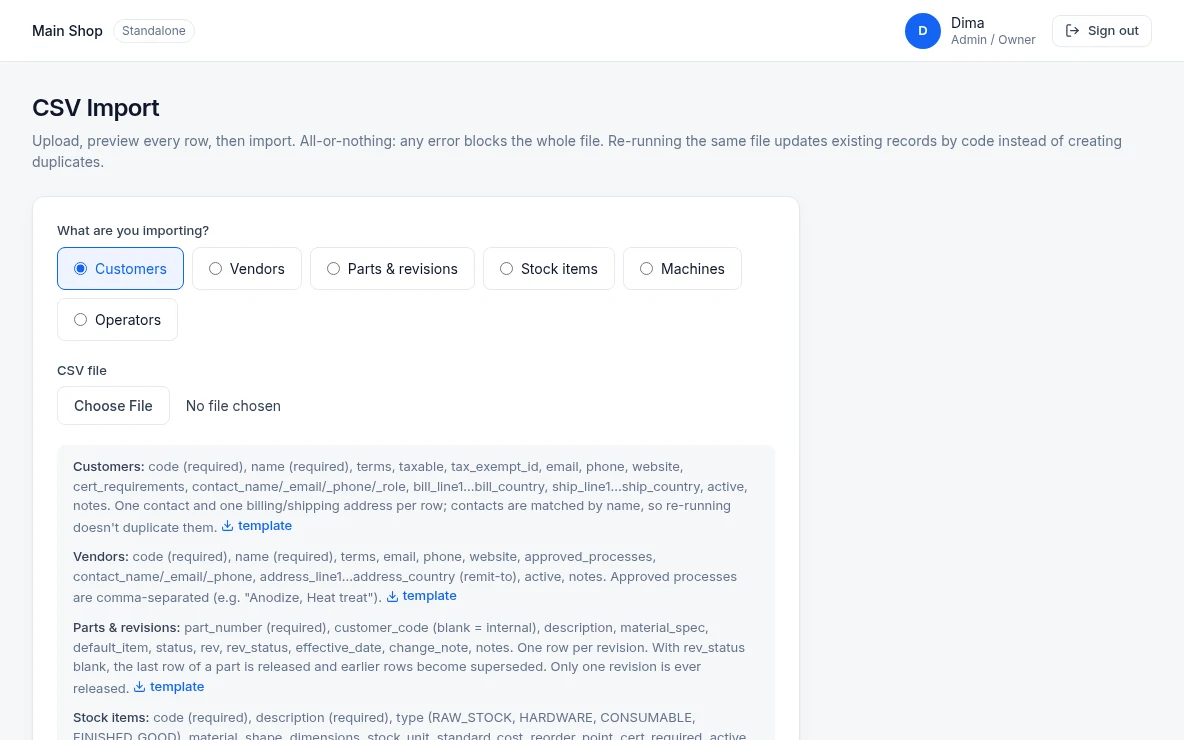
CSV import
Bring in customers, vendors, parts and revisions, stock items, machines, and operators. Every row is previewed before anything is saved, and re-running a file updates records instead of duplicating them.
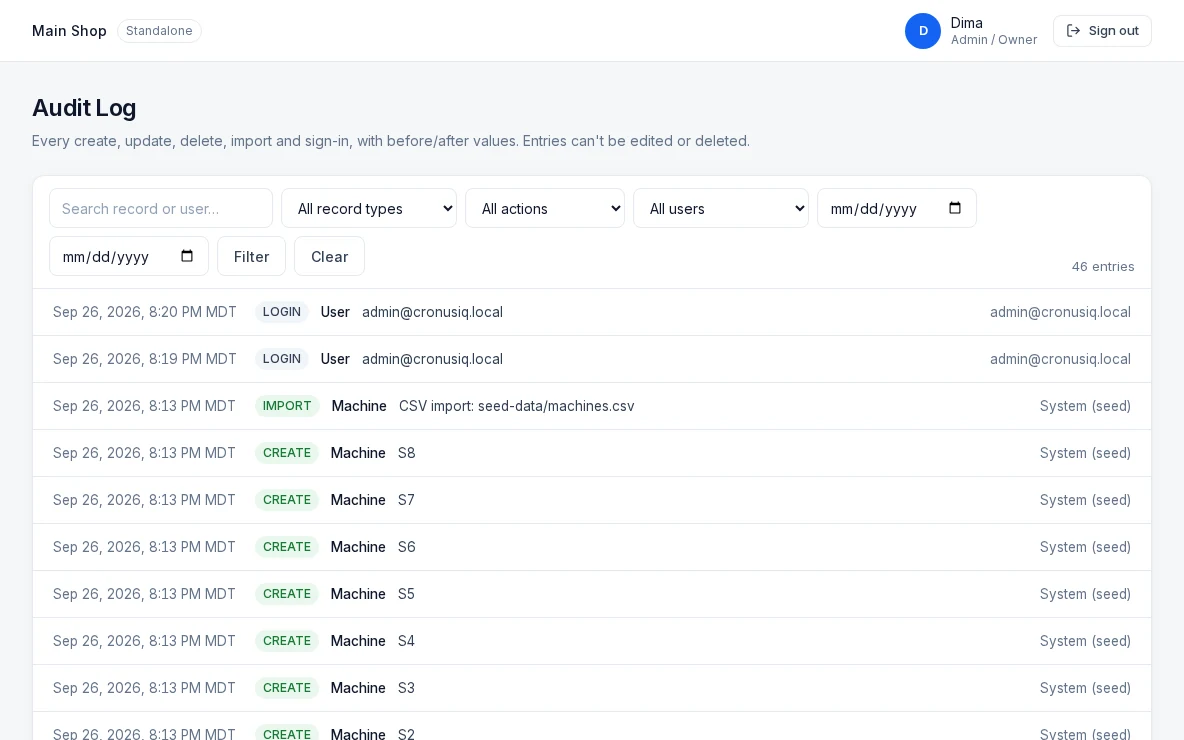
Audit log
Every create, update, delete, import, and sign-in is recorded with before/after values. Entries can't be edited or deleted.
Screens from CronusIQ ERP. Customer, part, vendor, and item records labeled “Sample” are demo data.
The foundation under every module
- Sign-in with 8 shop roles
- Audit log of every change
- Machines and work centers
- Shifts with breaks
- 14-day capacity view
- Downtime and scrap codes
- Operators
- Customers with contacts and addresses
- Vendors with approved processes
- Parts with revisions and drawing attachments
- Stock item master
- CSV import with row-by-row preview
QuickBooks Online
Keep QuickBooks for the money. Run the shop in CronusIQ.
CronusIQ ERP syncs with QuickBooks Online. QuickBooks stays your system of record for money; the ERP owns operations — quotes, jobs, schedules, inventory, and shipments.
Customers & vendors
Created and updated in the ERP, synced to QuickBooks Online.
Sold parts
Sent to QuickBooks Online as items when they're invoiced.
Invoices
Invoice shipped work in the ERP and send it to QuickBooks Online.
Quantities & FIFO costs
Stay in the ERP, where the inventory lives.
Sync log
Every connect, create, update, and error is listed so nothing syncs silently.
QuickBooks and QuickBooks Online are trademarks of Intuit Inc. CronusIQ is not affiliated with or endorsed by Intuit.
Better with CronusIQ Monitoring
Works on its own. Gets smarter with machine data.
ERP and Monitoring are separate products connected through the CronusIQ API. Start with either one.
ERP on its own
- Operators clock in and out of jobs on the shop-floor tablet
- Quotes use estimated cycle times
- Downtime and scrap entered with your reason codes
ERP + Monitoring
- Actual cycle times come in automatically
- Part counts from the machine land on the job
- Live machine status and downtime flow into the ERP
The ERP connection is included on any Monitoring plan, from $9.95/machine/month. Explore Monitoring →
See CronusIQ ERP with your parts and machines.
$99.95 per shop / month. We'll walk through your quote-to-invoice flow.